
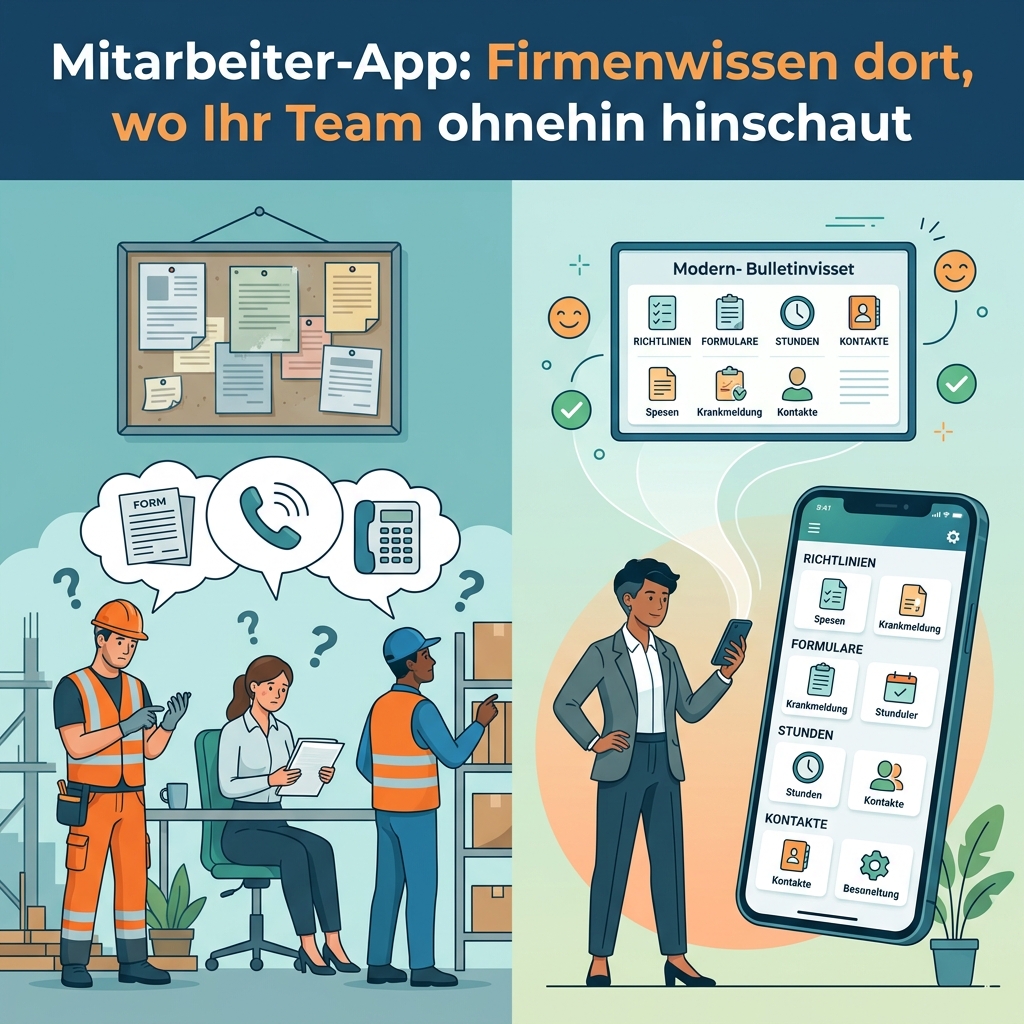
A technician is on a job site and needs the current expense policy. A new colleague wants to know how to report sick leave. Someone in the warehouse is looking for the extension of the person who handles complaints. Three perfectly ordinary questions, three calls to the office, three interruptions. And in most companies, the answer to all three was documented long ago. Just not where someone happens to be looking for it.
This is exactly where an app for your employees earns its keep. It brings scattered company knowledge and a pile of small administrative routines into one place everyone can reach at any time, including out in the field and on their own phone. We will go through what actually belongs in it, what access on personal devices requires, and work through a model of when the effort starts to pay for itself. We will also say plainly when you do not need this app at all.
What searching for information really costs
The biggest invisible cost in many companies is the search for information that already exists. The tricky part is that this cost shows up in no report. Nobody logs ten minutes under “looked for a policy.” It spreads across the day in small portions, and it lands twice every time: once on the person asking and once on the person answering.
There is a second effect that is even harder to measure. When information is hard to find, people eventually stop looking it up and start guessing instead. Then one location works from last year’s policy while another knows the current one. That does not cost minutes. It produces mistakes, rework, and in the worst case an unhappy customer.
The people hit hardest are the ones who are not sitting at a desk. In the workshop, on a job site, out in the field, on the shop floor, or in the warehouse, nobody opens an intranet in a browser between tasks. The device that is actually in their hand is a phone.
A reference guide in your pocket
A company app turns that scattered knowledge into a reference that is always within reach. Internal policies, procedures, instructions, contacts, and forms sit in one searchable place instead of being spread across shared folders, email attachments, notice boards, and word of mouth.
For your employees, that means fewer questions and faster answers. For you, it means everyone works from the same current version. When a policy changes, it changes in one place and applies to everyone immediately. That is the real difference from a folder on a server: not the search function, but the confidence that whatever you found is also what currently applies.
What else belongs in it: small routines in one place
Once the app is on people’s devices, it quickly becomes more than a reference. A large share of administrative work consists of small, recurring routines that currently run through different channels, which is precisely why they create friction. Those routines can be standardized inside one app:
- Company policy information: changes, rules, and decisions reach everyone at the same time and stay available to re-read, instead of disappearing into an email flood.
- Transparency in payroll: pay statements, hour summaries, and expense reports are available to look up directly. That spares HR a round of follow-up questions and gives employees the reassurance of being able to check for themselves.
- Forms and surveys: vacation requests, incident reports, feedback on a new policy, or a short employee survey all run through the same channel. You get structured answers instead of twenty freely worded emails.
- Company contacts on the device: the relevant numbers sit right in the address book, current and without manual upkeep. When the phone rings, people see a name instead of an unknown number.
The real gain is not in any single one of these functions but in the sum of them. Each routine on its own is small. Together they mark the difference between an administration that constantly asks and reminds and one that publishes once and then only handles the exceptions. In principle, a great many administrative routines can be standardized this way. Which ones are genuinely worth it in your case depends on where time disappears today.
On personal phones too: what BYOD gives you and what it requires
All of this only becomes truly effective when access also works on personal devices. The technical term is BYOD, short for “bring your own device”: employees use their own smartphone for work purposes. The benefit is easy to see. You do not have to buy and manage a fleet of devices, and the information sits exactly where people already look several times a day. For everyone without a fixed workplace, this is often the only channel through which internal information reliably arrives.
This convenience comes with one condition, and we prefer to raise it early. As soon as company information lives on personal devices, you need a clear answer to three questions: who is allowed to see which content, what happens when a device is lost, and how do you revoke access when someone leaves the company? These are all solvable, but they belong in the planning phase rather than in day-to-day operations. Clear them up first and you get the convenience without the uncomfortable residual risk.
A fourth question comes straight from practice: not everyone wants work on their private device. We therefore recommend keeping use on personal devices voluntary and always keeping a second route open, such as browser access from a workstation. It costs little to build and removes a lot of resistance from the rollout.
Does it add up? A model you can run yourself
Because the benefit is made up of many small amounts, it is easy to underestimate. The calculation below is deliberately a model with round assumptions, not a measurement from a client project. Put your own numbers in and you will quickly see the order of magnitude you are dealing with.
| Assumption | Value |
|---|---|
| Employees | 30 |
| Time per person per day spent searching and asking | 10 minutes |
| Working days per year | 220 |
| Search time across the company per year | around 1,100 hours |
| Share a well-maintained reference absorbs | assumed 30 percent |
| Time saved per year | around 330 hours |
330 hours is just under a fifth of a full-time position. That time cannot be cut as a position, though, because it accrues in small portions spread across thirty people. What you realistically gain is fewer interruptions, shorter paths when questions come up, and a noticeably lighter load on administration. That is less spectacular than a headcount saving and considerably more valuable day to day.
And there is one condition on which projects like this genuinely fail: the saving only materializes if the content is maintained. A reference full of outdated policies is worse than none at all, because nobody trusts it anymore and everyone goes back to calling. Anyone introducing an app like this has to decide who keeps the content current. That is not a technical question but an organizational one, and it belongs before the project starts.
Intranet, website, or app: what is enough, and when?
Not every company needs an app for this. If your workforce sits at a computer all day anyway, and an intranet or shared file storage is already well maintained and genuinely used, then better structure solves the problem more cheaply than a new tool. An app does not improve content that nobody updates.
The difference shows up in everyday reachability. A web interface gets opened when someone is at a computer and goes looking for it. An installed app sits on the home screen, opens with two taps, and can speak up on its own with a short message when something important changes. That difference is what decides whether people without a desk find out what currently applies in your company.
An app makes sense when several of these apply: a meaningful share of your workforce works without a fixed workplace, the same questions keep coming back, several administrative routines should be brought together, and someone owns the content. If little of that fits, we will tell you so openly, even when you arrive with a finished app idea.
Conclusion: scattered knowledge becomes a place people trust
An employee app is not a prestige project. It is a very practical tool against everyday friction. It makes company knowledge findable, gathers small administrative routines in one place, and reaches the people who never open the intranet. The conditions are manageable: settled access rights, a plan for personal devices, and someone who maintains the content.
We build applications like this from a single shared foundation for Android, iPhone, the browser, and Windows computers, so you are not paying separately for each type of device. Our article on mobile app development for iOS, Android, and web from one build covers how that works in detail and what we need from you.
If you are weighing whether this is worth it, do not start with a feature list. Start with the question of which three pieces of information your administration had to hand out most often this week. That is exactly where we would begin the conversation. Preparing a quote is free and comes with no obligation. You can read how we generally work in our article on custom software solutions.
Frequently asked questions
We already use Microsoft 365 or an intranet. Do we still need an app?
Often not right away. If an existing tool is maintained and your workforce genuinely uses it, better structure is the cheaper route. Your own app mainly pays off when a meaningful share of your people do not work at a computer, when you want to bring several routines together, or when you need functions the existing tool does not cover.
Do employees have to hand over their personal phone for this?
We explicitly recommend keeping use on personal devices voluntary and always offering a second route, such as browser access from a workstation or a company device. That improves acceptance considerably. How you handle it in employment terms is a question for your HR department or your legal advisers.
What happens if a device is lost?
Access should be built so it can be revoked centrally, without anyone needing the device in hand. The same applies when someone leaves the company. We define these cases with you before development starts, because they influence how content is stored and how permissions are granted.